
Saturday, April 1, 2023
Selenium Custom Locators
Selenium Web Driver supports both Xpath and CSS Locators as element locator strategies. As these strategies are comprehensive ideally there is no need to provide other abstract strategies such as ID and Class, but providing such strategies OOTB the designers of Selenium have lowered the entry barrier to automation using their library. So as framework developers you can take this further and provide other custom locator strategies to the users. The snippet below shows how a custom by class can be made to wrap around the XPath contains function.


Friday, March 10, 2023
A Comparison of Network Interception capabilities between Cypress and Selenium
Both Selenium and Cypress provide network interception capabilities. As the name implies, the capability allows the user to intercept HTTP requests and manipulate the response received for the given response. This is useful when you want to automate UI scenarios where the preconditions and steps required for the expected output can’t be easily produced.
To evaluate this capability I went about automating the 3 scenarios found below,

To evaluate this capability I went about automating the 3 scenarios found below,
- Intercepting and waiting for a network resource attached to a web page to be received to the client side.
- Intercepting and simulating 400 and 500 errors.
- Intercepting and changing response payloads.
Cypress Examples
Selenium Examples

Saturday, February 25, 2023
Abstracting the Test Layer using TestNG
The library architecture is popular among test automation framework designers. To follow this pattern, engineers decompose and abstract the automation logic at various conceptual levels, such as at the page, the component or at the element level. But usually, the test layer is left out of these decomposition efforts.
Leaving abstraction out of the test layer can in time lead to duplication of the logic as well as having to spend more time than what is required to script new scenarios. This post will discuss how the test layer can be abstracted and decomposed using TestNG.
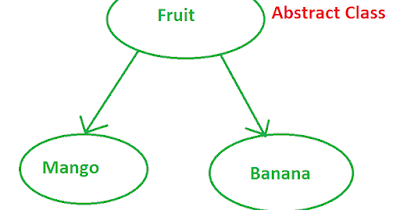
Leaving abstraction out of the test layer can in time lead to duplication of the logic as well as having to spend more time than what is required to script new scenarios. This post will discuss how the test layer can be abstracted and decomposed using TestNG.
High-level Steps
- Start with designing and implementing test cases so that they are atomic
- Encapsulate the test layer by scripting the test steps and adding assertions required to validate the component. Then put a mechanism in place to read the test data from an object that can be passed from one test class to another as required.
- Finally, use the Factory feature in TestNG to compose the larger scripts using the test classes.
- Validate that the dropdown page loads the dropdown and that the values are as expected.
- Validate that the dropdown allows the user to select the option he wants to select.
Test Class 1
Test Class 2
Factory Class
[1] - https://the-internet.herokuapp.com/dropdown
[repo] - https://github.com/handakumbura/SeleniumAutomationEmployerProfile/tree/feature/atomic_test_cases

Monday, January 30, 2023
Portability testing a web application UI with Selenium
Portability testing of web application UI can easily be handled with Selenium. To handle cross browser testing you can implement a driver instantiation pattern like the one shown below,
For cross mobile agent testing, you can use a TestNG data provider to pass in the device types into your test method and repeat the test for as many emulated devices as you would like.
Find the complete project here, https://github.com/handakumbura/SeleniumAutomationEmployerProfile/tree/feature/cross_browser_cross_agent

Saturday, January 14, 2023
How to read the user selection from a radio button group using Selenium?
SeleniumUtil library has been occupying my free time for the past couple of months. Since I’ve already written at length about what it is I won’t do that again here but if you really want to know you look here [1] [2].
When I implemented the abstraction wrapper for the HTML radio button group I ran into a problem. How would someone go about reading the user selection form a radio button group? Take a look at this HTML block,

I first tried retrieving the selection using the $0 variable that stores the user selection. But it turned out it was a browser specific variable that is not exposed to JavaScript. So how can we get a handle on this element and read its value? I did this,
But you can save all the pain because this snippet and bunch of other JavaScript goodies are available in SeleniumUtil 0.7.5.
Saturday, January 7, 2023
SeleniumUtil 0.7.0 is now available with a few Java Script utility methods
Abstraction helps to promote code reuse and reduce development time among other benefits. When considering Selenium based test automation, you can abstract at many different points such as at dependency, infrastructure, technology, page, component or even at the element or locator level. SeleniumUtil is an open source library that aims to provide generic abstractions and other useful utilities so that you don’t need to worry about them in your Selenium based test automation projects.
Version 0.7.0 is now available in maven central and it provides a few technology level abstractions in the form of a few parameterized Java Script methods.
Usage

Tuesday, December 27, 2022
SeleniumUtil is an open source library to help make Selenium+Java automation easier and faster
I’ve been through two tech companies where they’ve had their own test automation frameworks. The last framework that I used was built to handle Web UI, API, and AS400. The framework was built by providing wrappers for common open-source automation components such as Selenium and Rest-assured. It was easy to set up an automation project using the framework, and only a few of us had any real concerns with it. It was the responsibility of the respective development teams to use the framework to automate their products based on a few loose programming guidelines. As the teams go through this exercise, they would build any custom components they might need as they see fit. Some of these components are universally used but were not available in the framework of the respective open-source components OOTB. Components such abstractions for working with HTML tables or custom ExpectedConditions.
When I had some time on my hand I looked around to see if there are any open-source libraries that I can use out there to cut the automation project setup time and I found that there isn’t a lightweight library that can be easily integrated to existing projects. So I started one of my own.
At the moment the library provides a few wrappers for HTML elements such as RadioButton, MultiSelect, and Table. The plan is to implement other useful features such, Wrappers for common JavaScript script snippets, custom ExpectedConditions, and sliders. The library is at version 0.6.5 and it's available on Maven Central[1]. If you’re interested in contributing to the project please follow the instructions here [2][3].
[1] - https://search.maven.org/artifact/io.github.handakumbura/Seleniumutil/0.6.5/jar
[2] - https://docs.google.com/document/d/1Diudxs53eL8QkfYwHpExkusEtpJxF0mDHVrr6XymXYE/edit?usp=sharing
[3] - https://github.com/handakumbura/Seleniumuntil


Subscribe to:
Posts (Atom)

-
Why? Similar to identifying test conditions and done as part of the test analysis activity. Better medium to convey the test scope to other ...
-
 Selenium Web Driver is capable of handling multiple browser tabs. Though the requirement to automate workflows that span multiple tabs is on...
 -
 whats covered: creating API prototypes using mediation policies for APIM 1.10.0 WSO2 API Manager comes with API prototyping capability OO...
